How to Pause a Server and Pay Only for Storage
Pause a game server, app or VPS for days or weeks: everything stays saved and you only pay for storage. Steps, limits and how to resume.
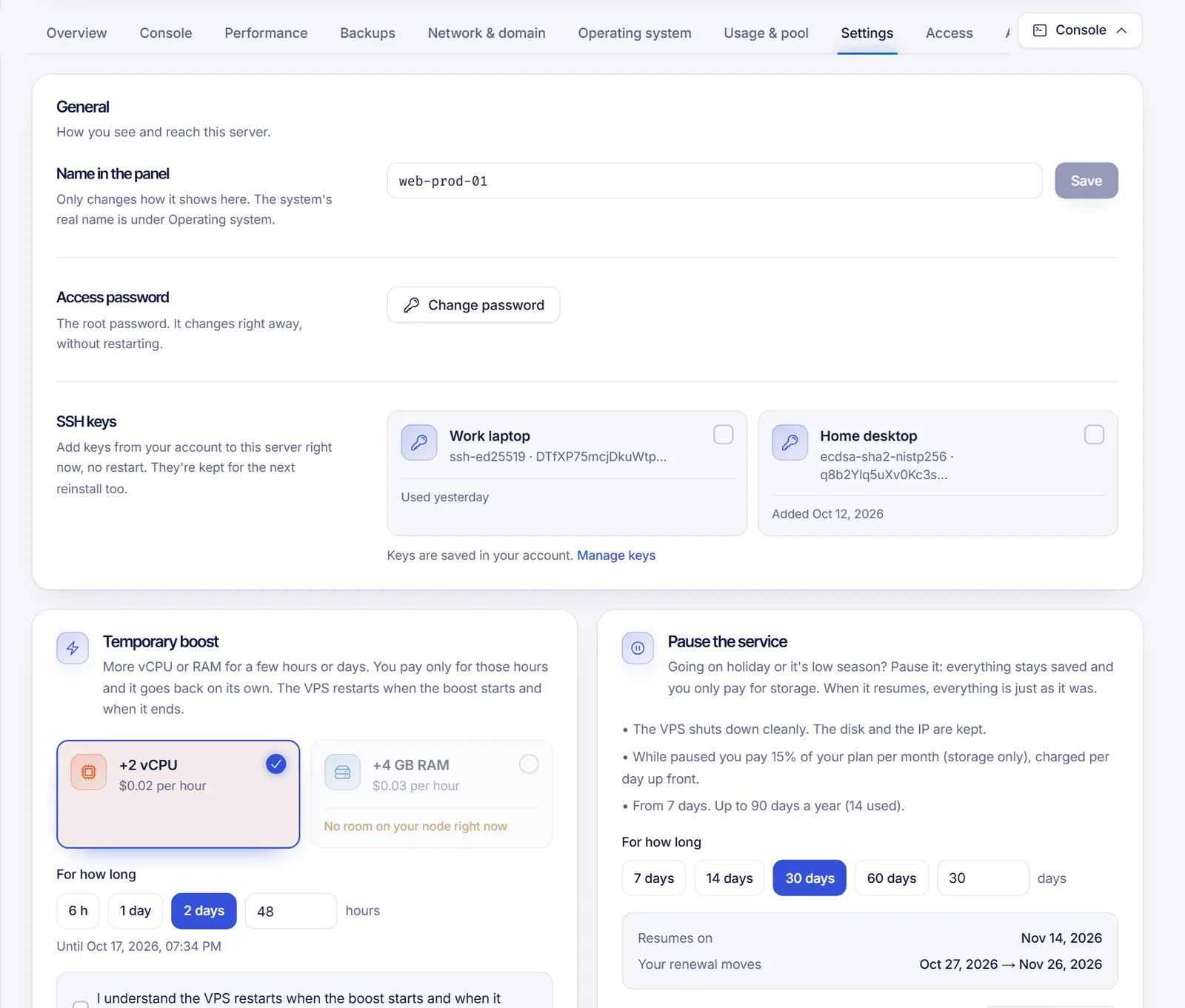
If your plan can be paused, open the server, go to Settings and use the Pause the service card: pick how many days, confirm, and the server shuts down with everything saved. While it is paused you pay only for storage, and it turns back on by itself on the date you chose (or earlier if you click Resume now).
Pausing is an optional feature, so you only see the card when it is available on your account and for your type of service.
What can be paused
- Game servers and apps (the server shuts down and its panel and SFTP lock; files, worlds, databases and backups are kept).
- VPS (the machine shuts down cleanly; the disk and the IP address are kept).
Not everything qualifies. The panel gives the reason when the card is greyed out: a service that is not active, a sub-server (pause the main server instead), a free trial, a service with a cancellation scheduled or one that needs another action first.
Pausing shuts the server down immediately. Nobody can join or connect to it until it resumes.
Pause a server
- Sign in at dashboard.solumecore.com and open your server.
- Go to Settings. For a game server or an app, the General section includes the Pause the service card. For a VPS, it is in its Settings page too.
- Read what the pause does and what it costs. The card shows the storage charge for the pause and the limits (for example, "From 7 days. Up to 90 days a year (X used)").
- Under For how long, pick the number of days or type the amount. The card shows Resumes on and Your renewal moves with the new date.
- If the pause has a charge, choose how to pay: from your Balance (charged now) or with an Invoice that you pay with card, PayPal or crypto. With the invoice, the pause starts as soon as it is paid.
- Click Pause X days and confirm in the window: Pause now.
The server shuts down immediately. Nobody can join a game server until it resumes.
What you pay while paused
While a service is paused you pay only for storage. SolumeCore sets the price either as a percentage of your plan per month or as an amount per GB of disk per month, charged per day and up front. It can also be free. The card shows the exact figure before you confirm.
What happens to what you had already paid for the current cycle depends on the setting shown in the card:
- The paid days you did not use are saved for later and your next renewal moves by the same number of days (this is the default), or
- they are returned to your balance now and a new cycle is billed when the service resumes.
If you resume earlier than planned, the days you did not use of the pause charge come back to your balance.
Resume a paused service
- It turns back on by itself on the resume date. By default we warn you 3 days before by email and in the panel.
- To resume sooner, open the server and click Resume now on the paused notice.
When it resumes, everything is just as you left it.
Limits
By default a pause lasts at least 7 days and at most 90 days, and a service can be paused for up to 90 days in total over the last 12 months. These limits can be changed by SolumeCore and the card always shows the current ones.
Troubleshooting
- The Pause card is not there. Pausing is not available for that service or on your account right now.
- "Pay the pending invoice of this service first." Settle the open invoice and try again.
- "Wait until your boost ends (or cancel it) to pause." A temporary boost is running. Wait for it to end (or cancel the request if it is still unpaid).
- "You have an upgrade waiting for payment." Pay or cancel the upgrade.
- "You already used the pause days available for this year." The yearly limit is spent. Wait until days free up.
- My pause invoice was cancelled. A pause that has a charge and is paid by invoice must be paid in time (24 hours by default), otherwise the request cancels itself. Start it again.
FAQ
Is pausing the same as stopping my server?
No. Stopping a server keeps your plan billing as usual. A pause reduces the charge to storage only for the days you choose.
Will I lose my files, worlds or IP?
No. Files, worlds, databases and backups are kept on a game server, and a VPS keeps its disk and IP.
Can I pause web hosting?
Pausing applies to game servers, apps and VPS. Web hosting does not show the card.
Can I pause a free trial?
No. A free trial cannot be paused.
Can I pause and cancel at the same time?
No. A service with a cancellation scheduled cannot be paused. See how to cancel a service.
Related articles
- Temporary boost: more RAM or CPU for hours or days
- Automatic renewals and billing cycle
- Account balance and credits
- Game server hibernation
Looking for a server to pause during your quiet season? See our game hosting or VPS plans.