How to Add or Change Your Payment Card
Save a new card, switch your default card or remove an old one so renewals pay themselves. Step by step, and nothing is charged when you add it.
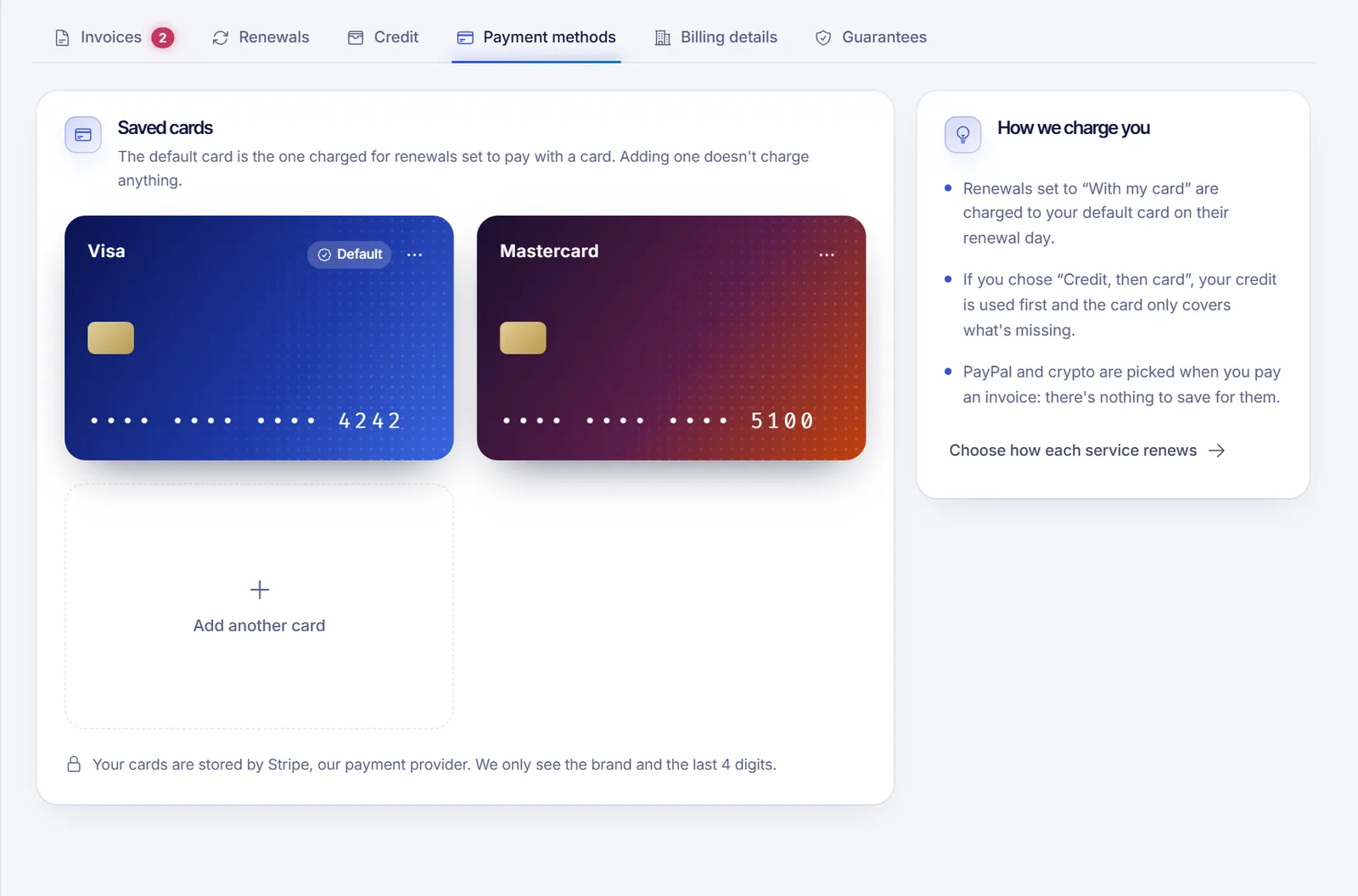
To add or change your payment card, open Invoices & payments, go to the Payment methods tab and click Add a card. Nothing is charged when you save it, and you can make it your default card so renewals set to use a card are paid from it.
To replace a card that expired or was replaced by your bank, add the new one, make it the default and then remove the old one.
Add a card
- Sign in at dashboard.solumecore.com and open Invoices & payments from the Billing group.
- Open the Payment methods tab. Your cards appear under Saved cards.
- Click Add a card (or Add another card if you already have one).
- Wait for the secure form to load and enter your card details.
- Leave Use it as my default card for renewals ticked if this is the card you want charged on renewal day.
- If you see I authorize automatic charges on this card, tick it to let SolumeCore charge the card when you are not there. You can revoke it later. Banks require this explicit permission for saved cards.
- Click Save card.
Your bank may ask you to confirm it is you, usually with a code or an approval in your banking app. That is normal and no money is taken.
Your card details are stored by our payment provider. SolumeCore only sees the card brand and the last four digits.
Adding a card never charges it. It is only used for renewals set to pay with a card, or when you pay something yourself.
Change your default card
The default card is the one charged for renewals set to pay with a card.
- Go to Invoices & payments > Payment methods.
- Open the Card options menu on the card you want to use.
- Click Make default. A "Default" tag moves to that card.
Replace an expired card
- Add the new card with the steps above and keep Use it as my default card for renewals ticked.
- Open the menu on the old card and click Remove card.
- Confirm the removal. You may be asked to confirm your identity first, because removing a card is a sensitive action.
Remove a card
- Open the Card options menu on the card.
- Click Remove card and confirm.
If you remove your default card, renewals set to pay with a card have to be paid by hand until you pick another default. The panel warns you about this before you confirm.
Choose how each renewal is paid
Saving a card does not force anything. For every service you decide in the Renewals tab whether it renews with your card, with your credit and then your card, with credit only, or by hand. Details in automatic renewals and billing cycle.
Troubleshooting
- "Cards can't be added right now." Card payments are not set up at this moment on the platform. Try again later or pay with another method.
- "We couldn't save the card." Check the number, expiry date and security code, or try a different card. Some banks decline saving a card until you approve a verification request in their app.
- You have cards but none is default. Pick one and click Make default, otherwise renewals set to use a card cannot be charged automatically.
- A charge keeps failing. See card payment declined or failed.
FAQ
Am I charged when I add a card?
No. Saving a card does not charge anything. The card is only used later, when a renewal is paid with it or when you pay something yourself.
Can I save PayPal or a crypto wallet?
No. PayPal and crypto are chosen at the moment you pay an invoice, so there is nothing to save for them.
Can I have more than one card?
Yes. You can keep several saved cards and choose which one is the default.
What happens if my default card is declined on renewal day?
You get an email and the charge is retried on a schedule. If it keeps failing, the service can be suspended. Read what happens if you don't pay.
Is it safe to store my card here?
The form is provided by our payment processor and your full card number never reaches SolumeCore. You can remove the card at any time.
Related articles
- How to pay a SolumeCore invoice
- Automatic renewals and billing cycle
- Card payment declined or failed
- Account balance and credits
Ready to put a card to work? See the hosting plans and pick a server.