How to Use a Coupon or Discount Code
Apply a coupon at checkout or to a service you already have, and understand automatic discounts by plan, location or payment method.
To use a coupon, type the code in the Discount coupon field at checkout (click Have a coupon? to reveal it), or apply it to a service you already have from Invoices & payments > Renewals > More options > Apply a coupon. Some discounts need no code at all: they are applied automatically when you meet their conditions.
Coupons and discounts are created by SolumeCore for promotions, so each one has its own rules: dates, plans, how many times it can be used and for how many renewals it lasts.
Use a coupon when you buy a new service
- Pick a plan on our site and continue to checkout.
- In the payment step, click Have a coupon?.
- Type the code in Discount coupon. The field writes it in capitals for you.
- Finish the purchase. The coupon is validated and the discount is applied when you confirm the payment, so the total on screen does not reflect it yet.
If you are buying through the cart (when it is available), you can also enter the coupon by clicking Edit on the service and filling in Coupon. The price updates as soon as you save.
Apply a coupon to a service you already have
Only some coupons can be used on an active service. The ones meant for new purchases will be rejected here.
- Sign in at dashboard.solumecore.com and open Invoices & payments.
- Go to the Renewals tab.
- On the service row, open More options and click Apply a coupon.
- Type the Coupon code and click Check. You see the discount per renewal and how many renewals it covers before you apply anything.
- Click Apply coupon.
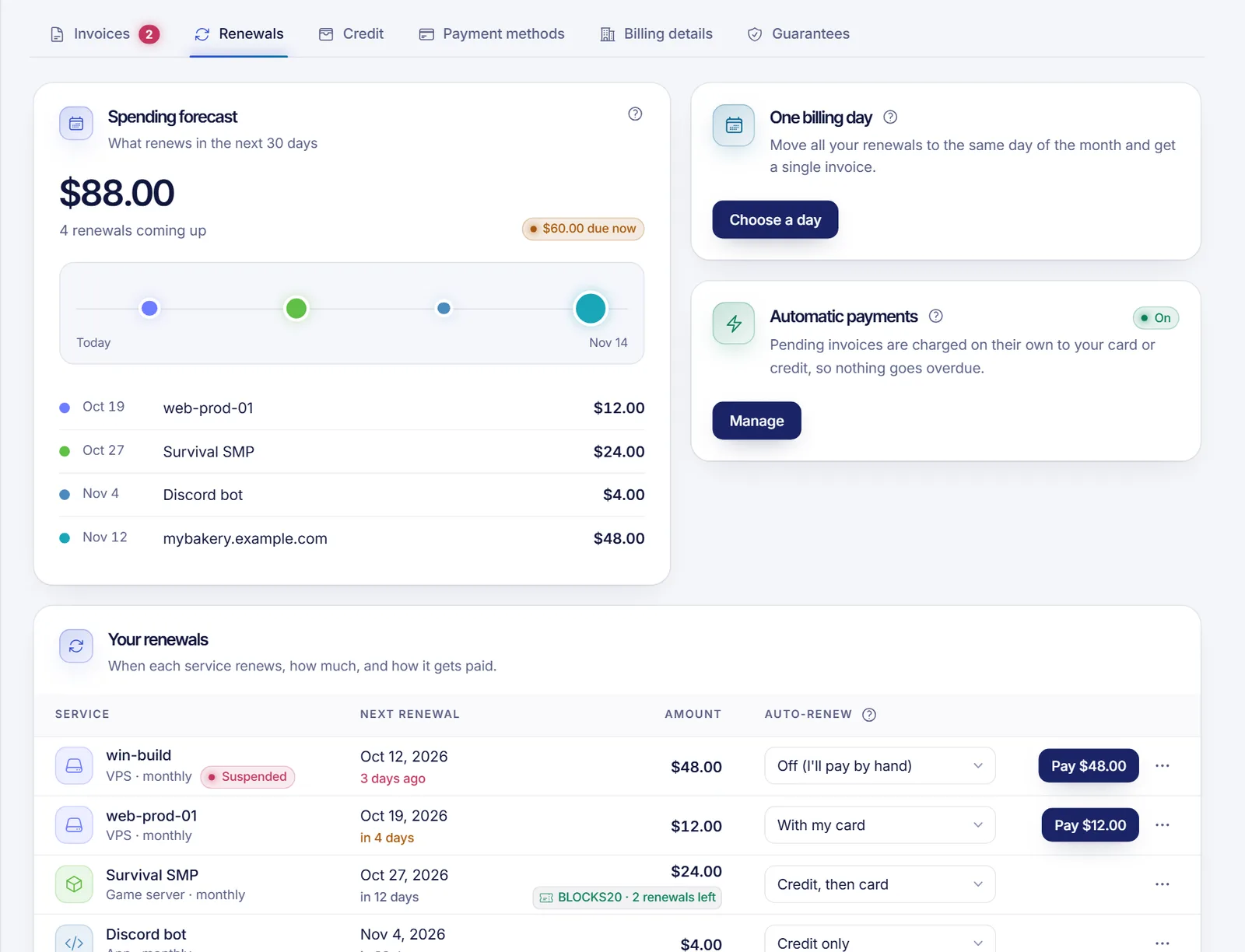
The discount applies from that service's next renewal. The row then shows the coupon code and how many renewals it has left. A service that already has a coupon cannot take a second one.
What decides whether a coupon works
A coupon can be limited by:
- Dates: it may not have started yet, or it may have expired.
- Number of uses: a coupon can run out, and it can also limit how many times each customer uses it.
- Plans: it may only be valid for certain plans.
- New purchases only: by default a coupon is valid when you buy a new service, not on one that is already active.
- Duration: it can cover only the first invoice or several renewals, as defined in the promotion.
If a coupon is rejected, check the code letter by letter and read the promotion's conditions.
Automatic discounts (no code needed)
SolumeCore can also run discounts that apply by themselves:
- By plan or by location. Everything bought on that plan or in that location gets the discount, for a limited time or for a set number of renewals.
- By payment method. A discount can depend on how you pay. On the payment screen you will see something like "Pay with card and save a percentage", and a green tag such as “−X% with card” in your invoice list. If you pay with any other method, the invoice is charged in full.
- Staying with a method. On some promotions, you need to keep paying renewals with that method to keep the discount. The payment screen tells you which method keeps the discount.
- Volume. Buying several services together can unlock a discount. See volume discounts, cart and paying several invoices.
- Referral. If you signed up through a referral link and the referral discount is active, a discount can apply to your purchases for a limited number of billing cycles. See earn with the affiliate program.
You never need a code for these. The discount shows on the order summary or on the invoice lines.
Troubleshooting
- The code is not accepted. Check spelling, the expiry date, whether it is limited to certain plans and whether it is for new purchases only.
- The total did not change at checkout. At checkout the coupon is validated when you confirm the payment, so the total does not show it yet. Check the invoice afterwards.
- I want to use a coupon on a service I already have. Not every coupon allows it. If Apply a coupon is disabled on the row, the service is not active, does not renew, or already has a coupon.
- I paid and the discount is missing. Open a ticket from the panel with the invoice number and the code you used.
FAQ
Can I combine two coupons?
A service takes one coupon at a time, and volume discounts are calculated on what you pay after other discounts, so the same amount is never discounted twice. Some volume rules do not apply to services that already use a coupon.
Does a coupon work on renewals?
It depends on the promotion. Many coupons cover only the first invoice, others cover a number of renewals. After you apply one, the row in the Renewals tab shows how many renewals are left.
How do I know the discount was applied?
Open the invoice: the discount appears in the lines and in the total. For a coupon on an existing service, the Renewals row shows the code and how many renewals it has left.
Why do I see a discount on one payment method but not the other?
Because that discount is tied to a payment method. Choose the method named in the banner to get it.
Where do I find discount codes?
Codes come from SolumeCore promotions and campaigns. We do not list them here because they change.
Related articles
- How to pay a SolumeCore invoice
- Volume discounts, cart and paying several invoices
- Automatic renewals and billing cycle
- Earn with the affiliate program
Looking for something to apply a code to? Browse our plans.