Dashboard Keyboard Shortcuts and Quick Search (Ctrl+K)
Press Ctrl+K to jump to a server, restart it, pay an invoice or open a ticket without touching the mouse, and learn the G-plus-letter shortcuts.
Press Ctrl + K (or Cmd + K on a Mac) anywhere in the SolumeCore dashboard to open the quick search. From there you can jump to any server or page, restart a server, pay an invoice, open a ticket or switch to dark mode, all from the keyboard. Press ? at any time to see the list of shortcuts.
Open the quick search
Any of these opens it:
Ctrl+K(Cmd+Kon Mac)/- Click the search box in the top bar, which reads Search or run a command…
Type to filter, use the arrow keys to move through the results, press Enter to run the highlighted one, and Esc to close.
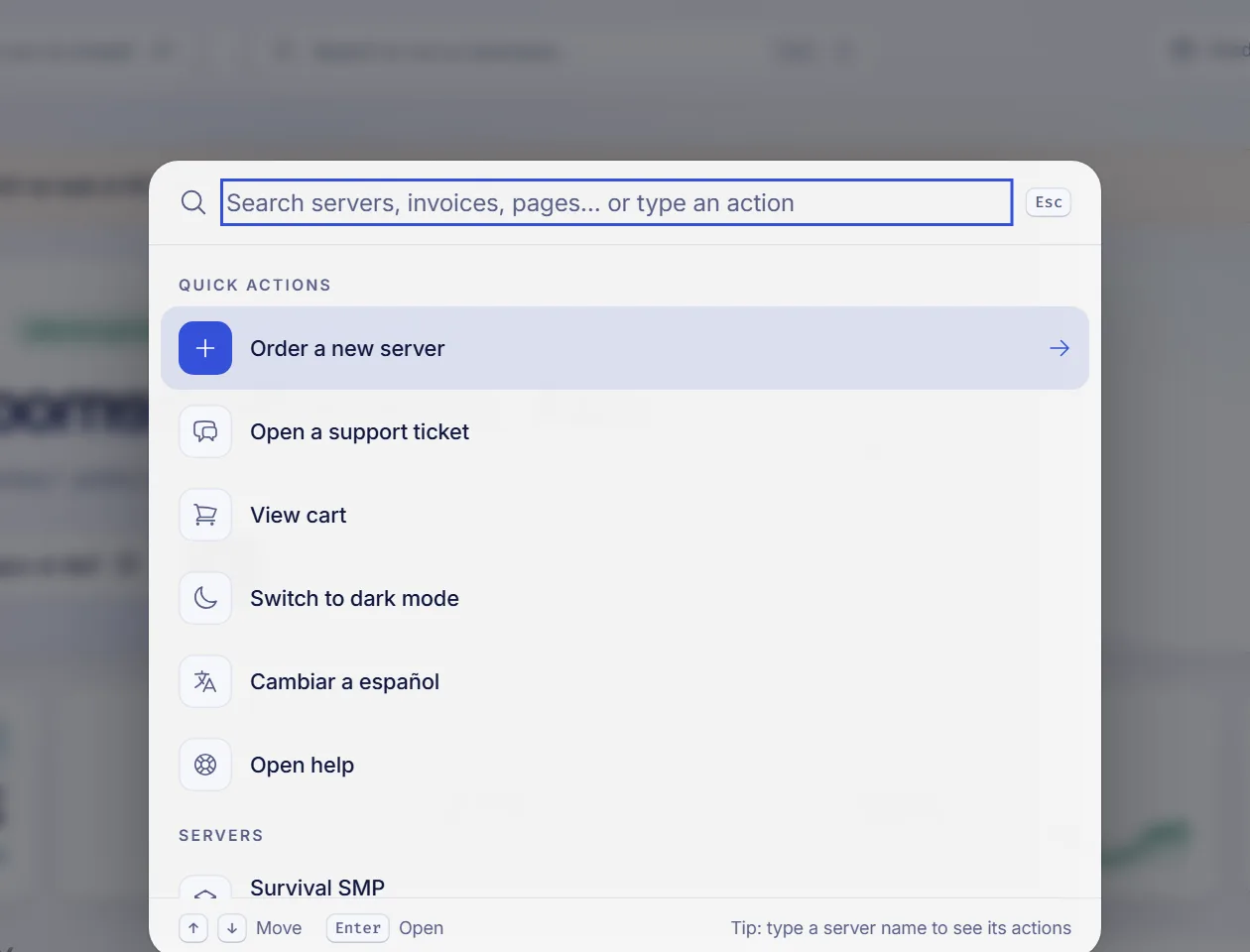
What you can find and do
Results come in groups:
| Group | Examples |
|---|---|
| Quick actions | Order a new server, Open a support ticket, the cart, Switch to dark mode or Switch to light mode, a language switch, Open help |
| Servers | Each of your servers by name. With a server name typed, you also get Open console, Files, Backups and Restart for it |
| Invoices to pay | Pay invoice #… for each pending invoice, or pay all of them |
| Open tickets | Jump straight to one of your active tickets |
| Go to | Any page of the left menu: Tickets, Notifications, Domains, Firewall and the rest |
Type the name of a server to see only its actions. For example, typing the name and choosing Restart is the quickest way to reboot it.
Restarting asks for confirmation first: a window explains that anyone connected will be disconnected for a moment, and you confirm with Restart.
If you have a server open, the list also includes Ask the copilot, when the copilot is available for your account.
Shortcuts to move around
These work when you are not typing in a text field:
| Keys | What it does |
|---|---|
Ctrl + K or / |
Search or run a command |
? |
Help and shortcuts |
G, then I |
Go to Home |
G, then S |
Go to Servers |
G, then F |
Go to Billing |
G, then T |
Go to Tickets |
G, then D |
Go to Domains |
G, then C |
Go to your account |
` |
Open or close the console, when you are inside a server |
For the G shortcuts, press G, let go and press the second key within about a second.
The help panel
Press ? or click the Help button in the top bar. It opens a side panel with:
- Help center articles that match the page you are on.
- A search box (What do you need help with?) to look for anything else.
- A link to the Help center and a button to Open a ticket.
- A shortcut to the Keyboard shortcuts window.
Troubleshooting
The shortcuts do nothing
They are ignored while you are typing in a field, while a window or menu is open, and when you hold Ctrl, Alt or Cmd with a letter other than K. Click on an empty part of the page and try again.
The ` key does nothing
It only works inside a server, to open or close the console. Open a server first.
FAQ
What is the shortcut to search the dashboard?
Ctrl + K, or /. On a Mac, use Cmd + K.
How do I restart a server without opening its page?
Press Ctrl + K, type the server name, choose Restart and confirm.
Is there a shortcut to open a support ticket?
Press G and then T to go to Tickets, or use Ctrl + K and choose Open a support ticket.
Do the shortcuts work on a phone?
They need a keyboard, but the search button in the top bar works by touch.
Related articles
- Dashboard overview and getting started
- How to open a support ticket
- Change the language and theme
- Restart, stop and force stop your VPS
Manage everything faster from one place: see the SolumeCore plans to start.