What is SolumeCore? Products and how to choose
SolumeCore offers VPS, VDS, cPanel web hosting, game servers and app or bot hosting. See what each product is and how to pick the right one.
SolumeCore is a hosting platform where you pick a plan, pay, and get the service built for you automatically. It covers five kinds of product: VPS, VDS, web hosting with cPanel, game servers, and apps and bots. Everything is managed from one client panel, with one account, one set of invoices and one support desk.
The quick way to choose: if you want a website with email, take web hosting; if you want a game server for friends or a community, take a game server; if you run your own code (a Discord bot, an API, a worker), take apps and bots; and if you need a whole machine with root access, take a VPS, or a VDS when your load is constant and you want reserved cores. The rest of this page explains each option and what they have in common.
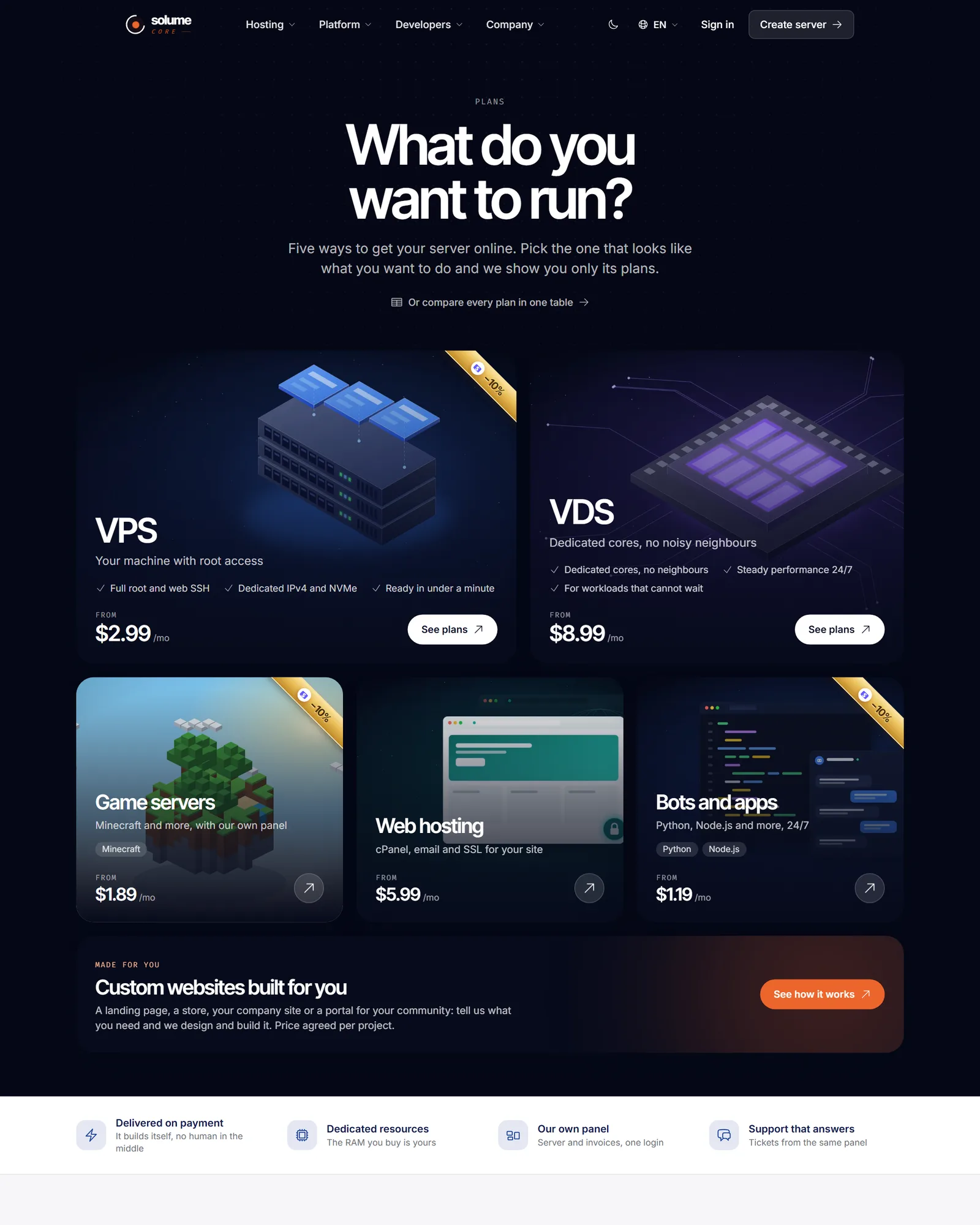
The five products at a glance
| Product | What you get | Who looks after the server | Typical use |
|---|---|---|---|
| VPS | A KVM virtual machine with full root access | You | Websites, APIs, bots, test environments, anything you install yourself |
| VDS | The same panel and network as a VPS, with cores and RAM reserved for you | You | Sustained load: large databases, busy game servers, builds |
| Web hosting | A cPanel account with email, databases, FTP and SSL | We do | Websites and WordPress without administering a server |
| Game servers | A game server with a purpose-built panel: console, files, backups, plugins and mods | We run the machine, you run the game | Minecraft and other supported games |
| Apps and bots | A process of your own code, running all the time | We run the machine, you run your program | Discord bots, APIs, scripts, workers |
Plans, sizes and locations change over time, so the live list always lives on the product pages: VPS, VDS, web hosting, game servers, bots and apps, or the all-plans page.
How an order becomes a service
- You choose a plan on the website, in the location you prefer.
- You pay at checkout. The service and its invoice are created once the payment is confirmed.
- Provisioning starts automatically, with no ticket and no waiting for a person. The site's FAQ puts the average at under a minute after payment for a VPS or VDS, and a game server then runs a first install that you can watch live from its console.
- You get an email with the access details and the service appears in the client panel.
If something fails on our side, the system retries and notifies staff, and the site states you are never charged without delivery. The first-order guide walks through every step.
VPS and VDS: a full machine
Both are KVM virtual machines. You get full root access, a dedicated IPv4 address, SSH from the browser inside the panel, power controls, a one-click operating system reinstall (it asks you to confirm because the disk is wiped), and a log of every action on the service. Per the product pages, traffic goes through Solume Shield, which filters DDoS attacks at layers 3, 4 and 7 at the network edge, and you can tune your own rules from the firewall section.
The difference is how the node is filled. VPS plans share the node's cores with configurable overselling, so they burst when the neighbors are quiet and cost less. VDS plans live on nodes without overselling, so the cores and RAM you pay for are reserved for you. Read VPS vs VDS for a side-by-side comparison. You can also move to a bigger plan from the panel and pay only the difference, applied to the same machine.
Web hosting with cPanel
This is the option for people who want a website, not a server. The plan includes full cPanel: file manager, MySQL databases, email accounts, FTP and a WordPress installer. SSL is issued and renewed automatically through AutoSSL, and the account is created as soon as the payment is confirmed. You do not need a domain on day one: where a location offers it, you can start on a subdomain of ours and connect your own domain later. We handle updates and security of the machine; you take care of your site. See the web hosting guide.
Game servers
Game servers run in containers managed from a panel built for the job: live console, file manager and SFTP, backups you can lock and restore, scheduled tasks, MySQL databases, and shared access so friends or staff can help without getting your password. Minecraft has the deepest support: you can switch between installers such as Paper, Purpur, Fabric, Forge or NeoForge, change version, and install plugins and mods from Modrinth in one click. The game hub also lists other titles, for example Hytale, Rust, Palworld and Valheim, with options explained and validated before saving. Which games are on sale depends on what is published at the time, so check the game hosting page. More in the game server panel guide.
Apps and bots
Apps and bots plans run your own program, all the time: there is no sleeping and no cold start. Supported languages are Python, Node.js, Bun, Deno, Go, Java and Rust, each with several versions. You choose the language when you buy; a different language is a different plan. You deploy from a Git repository (private repositories are supported too), from the panel's file manager or over SFTP. Dependencies install on boot if you have a requirements.txt or a package.json. You also get a live console, start, restart and stop buttons, cron-style scheduled restarts, backups and MySQL databases. This is for running your code; a PHP website with WordPress and email is a better fit for web hosting. See apps and bots hosting.
What every product shares
- One client panel with a server list, a notification bell, light and dark themes, and English and Spanish. See the panel tour.
- One billing area with invoices, account balance, coupons and several payment methods (the ones enabled at checkout), plus automatic renewals where you turn them on.
- A support desk with tickets, and a public status page.
- Moving in: the panel has a "Bring from another host" tool, and checkout links to it, to move an existing server or site over.
- Several locations, with live ping measured from your browser. See locations.
How to choose
| If you want to... | Choose |
|---|---|
| Publish a website or WordPress with email and SSL, without sysadmin work | Web hosting |
| Run a Minecraft or other game server for friends or a community | Game server |
| Keep a Discord bot, API or script online all the time | Apps and bots |
| Install anything you like, with root access | VPS |
| Run a constant heavy load and want reserved cores | VDS |
| Not sure yet | Start with the closest match; you can move to a bigger plan later, but changing product type means buying the other plan |
Important: Prices, plan sizes, which games are on sale and which locations are open are managed by the SolumeCore team and can change. This page describes how the products work, not a price list. Always check the product page and the checkout before you pay.
Related documents
- Create an account and place your first order
- A tour of the client panel
- Locations and data centers
- Service status and incidents
FAQ
What is the difference between a VPS and a VDS?
A VPS shares the node's cores with configurable overselling; a VDS lives on a node with no overselling, so its cores and RAM are reserved. The panel, network and firewall are the same. The VPS vs VDS comparison goes deeper.
Do I need a domain to buy web hosting?
No. Where a location offers it, you can pick one of our subdomains with HTTPS and connect your own domain later from the panel. Otherwise you bring a domain you already own at checkout.
Can I run a website on a game server or an apps plan?
An apps plan can serve a site or API from the ip:port address it gets, and you can point a domain at it. But for a PHP site with WordPress, email and automatic SSL, web hosting is the better and simpler choice.
How fast is my service ready after I pay?
Provisioning starts automatically once the payment is confirmed. The site quotes an average of under a minute for VPS, VDS and web hosting. A game server finishes a first install that takes a few minutes, which you can follow in the console.
Can I change plans later?
Yes. From the panel you can ask for a bigger plan and pay only the difference for the days left in the cycle, applied to the same service without reinstalling or losing files. Switching to a different type of product, such as from an app to a VPS, means buying that other plan.
Where are the servers?
On our own systems and infrastructure, in the locations published on the site. The list is managed by the team, so see locations and data centers for how to read it and pick the closest one.