How to Make a Minecraft Server in 2026 (Step by Step)
How to make a Minecraft server in 2026: choose Java or Bedrock, the server software, the RAM and a host, and have friends playing in under an hour.
You can make a Minecraft server in three ways: open your single-player world to LAN, run the server software on your own computer, or rent a server that is online around the clock. For a community that should be reachable at any hour, renting is the option that holds up. This guide walks through all three, then takes the hosted route step by step.
Which way should you go?
| Option | Good for | The catch |
|---|---|---|
| Open to LAN | Playing with people in the same house | Only works on the same network, and only while the host is playing |
| Server on your own PC | Testing, or a few friends in the evening | Your PC must stay on, and you have to open a port on your router |
| Rented Minecraft server | A community, a modpack, a public server | A monthly cost, in exchange for uptime and a panel |
If you only want to try plugins for an afternoon, run it at home. If other people are going to rely on it, rent it.
Step 1: Pick your edition
Minecraft has two editions and they are not interchangeable.
- Java Edition runs on Windows, macOS and Linux. It has the largest ecosystem of plugins and mods, and almost every "Minecraft server" guide assumes it.
- Bedrock Edition runs on phones, consoles and the Windows store version.
Most community servers run Java. Bedrock players can still join a Java server through a translator such as Geyser; we cover that in Java and Bedrock crossplay with Geyser.
Step 2: Choose the server software
The software decides what you can install and how well the server performs.
- Paper is the default choice for survival, lobbies and minigames: fast, stable and compatible with plugins.
- Fabric, Forge or NeoForge are for mods that change the game itself.
- Vanilla is the official server with nothing added.
Not sure? Start with Paper. The full comparison is in Paper vs Spigot vs Forge vs Fabric, and if your goal is mods, read plugins vs mods first.
Step 3: Decide how much RAM you need
A small group on Paper runs comfortably on a few gigabytes. Modpacks need considerably more, and giving a server far more memory than it needs can even make it slower. We published the numbers in How much RAM does a Minecraft server need?, and the RAM calculator turns player count and mods into a recommendation.
Step 4: Run it yourself at home (optional)
If you want to try it locally first:
- Install a current Java runtime. Recent Minecraft versions require Java 21 or newer.
- Download the server
.jarfor your chosen software and put it in an empty folder. - Start it once from a terminal, then accept the license by setting
eula=trueineula.txt:
java -Xms2G -Xmx2G -jar server.jar nogui- Forward TCP port
25565on your router to your computer. - Share your public IP address with friends.
It works, but note the drawbacks: many home connections sit behind carrier-grade NAT and cannot open ports at all, your public IP can change, and you expose your home address to everyone who joins. This is the main reason people move to a host.
Step 5: Create the server on a host
On a managed Minecraft host the steps above collapse into a few clicks.
- Pick a plan sized for your players and software (see the RAM guide above).
- Wait for the server to be created. The first install downloads the software and takes a few minutes; you can watch it in the live console.
- Accept the Minecraft EULA when the panel asks.
- Start the server and join with the address shown in the panel.
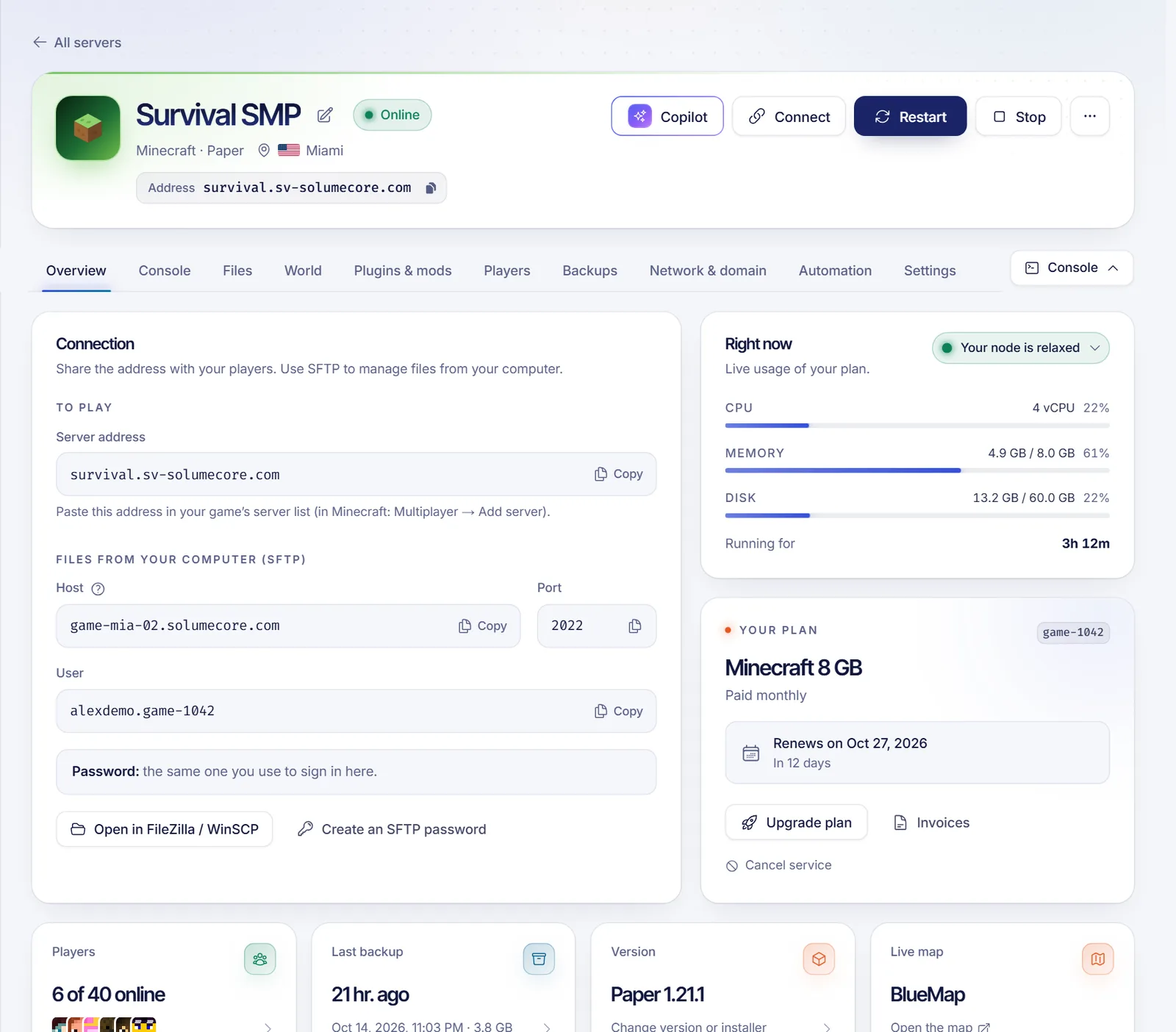
With SolumeCore Minecraft hosting the installer tab lets you switch between Paper, Purpur, Spigot, Folia, Fabric, Forge, NeoForge and Quilt later, and the panel tells you before a change would stop your installed content from loading.
Step 6: Configure the basics
Open the settings editor and review these first:
- MOTD: the text under your server name in the game list. The MOTD generator helps with colors.
- Difficulty, game mode and max players.
- View distance and simulation distance: the settings that cost the most CPU and RAM. Explained in server.properties line by line.
- Whitelist: turn it on for a private server so only people you list can join. See admin commands.
Step 7: Invite your friends
Give them the server address. Players on Java type it under Add Server. If you want a cleaner address than an IP and port, connect your own name; the steps are in how to connect a domain to your game server.
Step 8: Keep it healthy
A server that is fun on day one becomes a chore if you skip the basics:
- Back up before big changes, and schedule automatic backups. Our backup strategy guide explains how.
- Schedule a nightly restart with a warning message to players.
- Watch TPS. If the game starts to stutter, see how to fix Minecraft server lag.
FAQ
Is it free to make a Minecraft server?
The server software is free, so running it on your own computer costs nothing but electricity and your time. A host charges because it provides the machine, the connection and the uptime.
Can I make a Minecraft server for Java and Bedrock players at once?
Yes. Run a Java server and add Geyser and Floodgate so Bedrock players can join. Details are in the crossplay guide.
How many players can a server hold?
It depends on the software, the world and the plugins more than on the number itself. A modest plan comfortably serves a group of friends; hundreds of players need a larger plan and careful tuning.
Do I need to know how to code?
No. A managed panel handles installation, versions and files. You only need to type commands if you choose to.
Can I move an existing server to a new host?
Yes. Copy the server folder over SFTP, or use the migration tool in the SolumeCore panel to pull it from your old host. Our SFTP world upload guide lists the mistakes to avoid.
Ready to play?
If you want it online without keeping a PC running, take a look at Minecraft server hosting or compare the options on the plans page. If you get stuck, the help center has short answers.