How to Connect a Domain to Your Game Server or Website
Point your domain at a game server or a website: A, SRV and CNAME records explained, how to hide the port from the address and how long DNS takes.
To connect a domain to a game server, create an A record that points a name such as play.example.com to your server's IP address and, if your game uses a non-default port, add an SRV record so players do not have to type the port. For a website, you point the domain's A record (or nameservers) at your hosting. DNS changes usually apply within minutes, but can take up to a day to reach everyone.
Why use a domain at all?
- Easier to share:
play.example.combeats203.0.113.42:25570. - Looks professional: a server with a real name feels established.
- Portable: if you ever change IP or host, you update the DNS record and the address players know stays the same.
The records you need to know
| Record | What it does | Example |
|---|---|---|
| A | Points a name to an IPv4 address | play -> 203.0.113.42 |
| AAAA | Same, for IPv6 | play -> 2001:db8::42 |
| CNAME | Makes one name an alias of another name | www -> example.com |
| SRV | Points a service name to a host and a port | _minecraft._tcp.play -> play.example.com, port 25570 |
A CNAME cannot sit at the bare domain (example.com) alongside other records, so use an A record there.
Game servers
Step 1: Get the IP address and port
Open your server's network or overview section in the panel. You will see the IP address and the game port. Note both.
Step 2: Create the A record
At the company that manages your domain's DNS:
- Type: A
- Name:
play(or@for the bare domain) - Value: your server's IP address
- TTL: automatic, or 300 seconds while you test
If you host on SolumeCore, check the network section of your server: the panel can show the address for you, so you do not have to look it up.
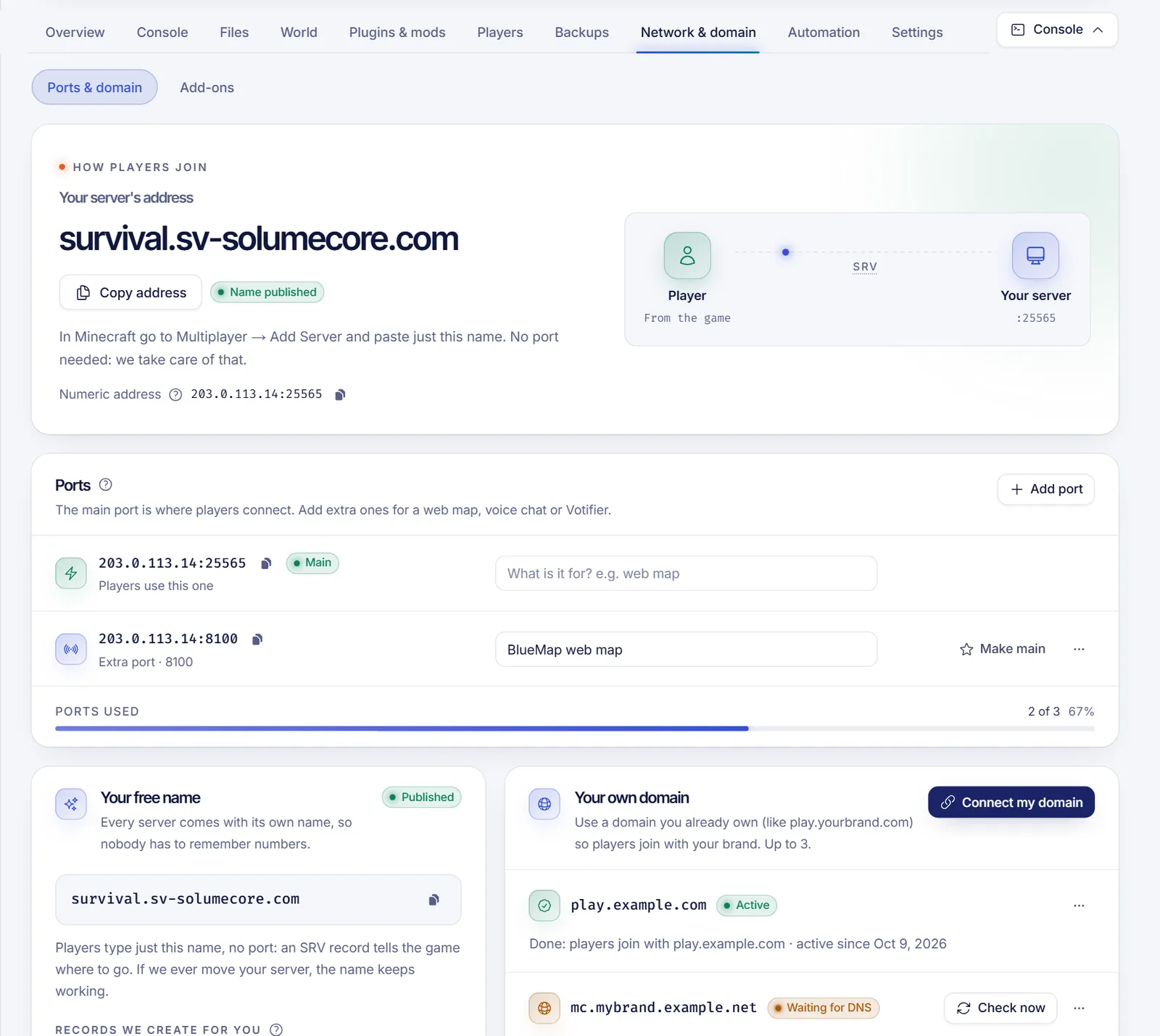
Step 3: If the port is not the default, add an SRV record
Minecraft Java uses port 25565 by default. If your server runs on another port, the A record alone is not enough: players would still have to type :25570. An SRV record removes that.
- Service/Name:
_minecraft._tcp.play(or_minecraft._tcpfor the bare domain) - Priority: 0
- Weight: 5
- Port: your game port
- Target:
play.example.com(the name with the A record, not an IP)
Players then connect to play.example.com with no port. If you use Cloudflare for DNS, make sure the A record that SRV points at is set to DNS only, not proxied: the orange cloud proxy cannot carry game traffic.
Important: SRV is honored by Minecraft Java Edition, but it is not used by most other games, and Bedrock does not use SRV records. For those you share the address and port. Bedrock players always enter the port separately; see Java and Bedrock crossplay.
Step 4: Test it
Wait a few minutes and try the name in the game. You can also check from a terminal:
nslookup play.example.com
nslookup -type=SRV _minecraft._tcp.play.example.com
If an old address still appears, DNS has not propagated or a cached answer is being used. Lower the TTL before future changes.
Aliases from your own domain to a provided address
Some providers give you a ready-made address for your server. In that case, instead of an IP, you can point your domain at that name with a CNAME (on a subdomain) or an SRV record that targets it, so if the provider changes the IP behind it, your domain keeps working. Ask whether your provider offers this.
Websites
For a website on shared hosting, there are two usual methods:
- Change the nameservers at your registrar to the ones your host gives you. The host then manages all DNS records for you. This is the simplest and also moves email and SSL.
- Keep your DNS elsewhere and add the records your host asks for: usually an A record for
@and a CNAME or A record forwww.
SolumeCore's web hosting panel has a guided "connect your domain" flow that checks what the internet currently sees for each part of your domain, shows the exact values to set, and for providers that support it can create the records for you in one approval. Your site, email and SSL move with it. See WordPress on cPanel vs VPS or the web hosting page.
How long does DNS take?
- Many changes are visible in minutes.
- Resolvers cache answers according to the TTL, so full propagation can take up to 24 hours in the worst case.
- Nameserver changes can take longer than record changes.
Use nslookup or an online DNS checker to see what different locations get.
Common problems
| Symptom | Likely cause |
|---|---|
| Name does not resolve | Record missing, wrong name, or not propagated yet |
| Resolves but game will not connect | Wrong port, firewall closed, or Cloudflare proxy on |
| Works with IP, not with name | SRV missing for a non-default port |
| Old IP keeps appearing | Cached answer; wait for the TTL |
| Website shows "not secure" | The certificate needs to be issued after DNS points to the host |
FAQ
Do I need to buy a domain to run a server?
No. You can always use the IP and port. A domain is for convenience.
Does an SRV record work for every game?
No. Minecraft Java supports it. Many other games do not look up SRV records at all.
Can I use a subdomain like play.example.com?
Yes, and it is the common choice, since it leaves the bare domain free for a website.
Why did it work on my PC but not on a friend's?
DNS caching. Your friend's resolver may still hold the old answer. Wait or flush the cache.
Should I proxy my game server through Cloudflare?
No, not the game port. Use DNS-only records for game traffic.
Next steps
Get your server running first with how to make a Minecraft server, then claim a name. Browse Minecraft hosting or web hosting, and find short answers in the help center.