What Is a Game Server Control Panel? What to Expect
What a game server control panel is, which features it should have (console, files, backups, schedules) and how to tell if your host's panel is any good.
A game server control panel is the web interface where you start, stop and manage your server without touching a command line. A good one gives you a live console, a file manager, backups, scheduled tasks, SFTP access, databases and game-specific tools such as version switching or plugin installs. If you have ever fought with SSH just to restart a Minecraft server, a panel is the thing that makes that pain disappear.
What a panel actually does
Under the hood, a game server is a process running on a machine. The panel is the layer that lets you control that process and its files safely from a browser. It typically separates each customer's server into its own container, so one server cannot see or break another, and it enforces limits on RAM, CPU and disk.
The features to look for
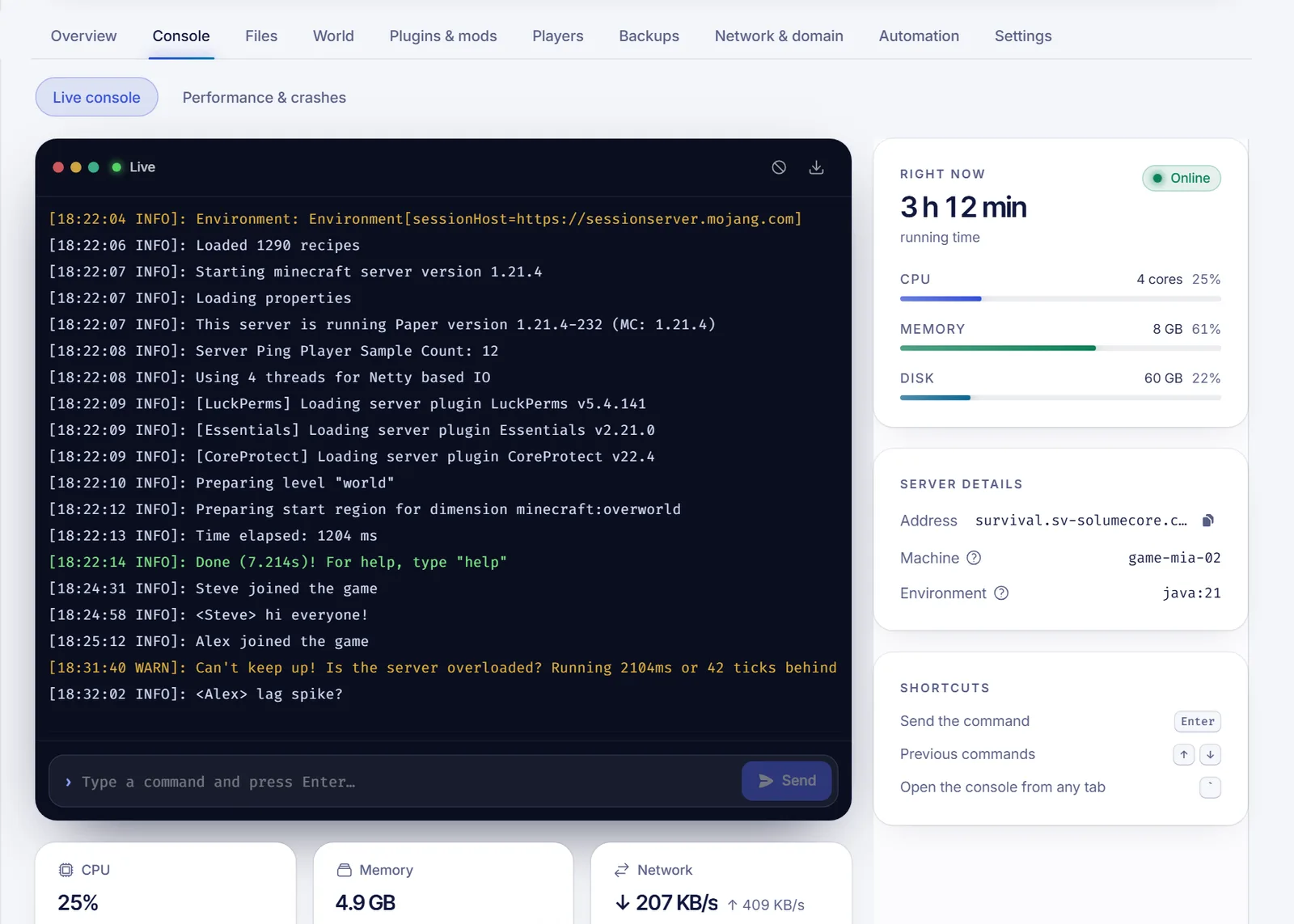
Power controls and a live console
Start, stop, restart and kill buttons, plus a real-time console showing the server output and accepting commands. This is the single most-used screen. If it lags, truncates logs or hides errors, everything else suffers.
File manager and SFTP
You need to edit configuration files, upload plugins and worlds, and delete things. A solid file manager supports:
- In-browser editing with syntax highlighting.
- Drag and drop upload, compress and extract.
- A trash so a deleted file can come back.
- SFTP for large transfers with tools like FileZilla. See upload a Minecraft world via SFTP.
Backups you can trust
Automatic or on-demand backups with retention, the ability to lock one so it is not rotated away, and a simple restore. Partial restores, such as only the world, are a bonus. The strategy matters as much as the feature; read game server backups: a 3-2-1 plan.
Scheduled tasks
Restarts, warnings to players and backups on a timetable, chained in order, such as "warn players, wait, back up, restart". Look for times in your time zone, not the server's.
Startup settings and versions
Change the game version, the Java version, the launch flags and the installer without reinstalling by hand. For Minecraft, that includes switching between Paper, Fabric, Forge and others. See Paper vs Spigot vs Forge vs Fabric.
Game-specific tools
This is what separates a generic panel from a good one. For Minecraft, that means plugin and mod installs from a catalog, a players list with op, kick and ban buttons, performance graphs, crash analysis and modpack support. Other games get their own settings editors so you do not have to memorize a config file.
Databases
Many plugins, economies and web apps need a database. A panel should let you create one with a user and password in a click.
Access sharing
You will want friends or staff to help without sharing your password. A panel should let you invite others with a precise set of permissions (console only, files only, backups only) while you remain the owner.
Network and security
Visible ports, a join address, and DDoS protection controls. See DDoS protection for game servers and how to connect a domain.
A quick checklist for judging a panel
| Question | Why it matters |
|---|---|
| Can I see the console live, and send commands? | Fast diagnosis |
| Can I restore a backup without opening a ticket? | Recovery time |
| Can I change version or software myself? | No waiting on support |
| Are plugins and mods installable from the panel? | Saves hours |
| Does it show performance (TPS, RAM, CPU)? | Finds lag causes |
| Can I invite others with limited permissions? | Safe teamwork |
| Is there SFTP? | Big uploads |
| Can I upgrade my plan myself? | Growth without friction |
What a panel will not do for you
A panel cannot fix poor plugin choices, a world that is too large for its plan, or a game that is badly optimized. It gives you the tools and the visibility; you still decide. It also cannot replace backups you never made.
Are all panels the same?
No. Some panels are generic and treat every game as a start/stop switch. Others are built around specific games, with tabs tailored to what you do day to day. SolumeCore's panel is one of the second kind, with Minecraft getting plugin and mod installs, a players tab, performance and crash tools. A single dashboard also manages your VPS and apps, so you do not juggle several logins.
FAQ
Do I need technical skills to use a game server panel?
No. A panel is designed so you can run a server without a command line. Technical users get more depth when they want it.
Can I install my own plugins and mods?
Yes. Most panels let you upload files or install from catalogs. Always match your game version and loader.
Can several people manage the server?
With permission-based access, yes. You choose what each person can do.
What happens to my files if I cancel?
Check your host's policy. Download the data you want to keep before cancelling, and take a final backup.
Is a panel the same as a VPS?
No. A panel manages a specific game server. A VPS is a whole machine with root access that you manage yourself. See VPS vs VDS vs shared hosting vs game server.
See it in action
Try the panel with Minecraft hosting, compare options on the plans page, or browse the docs to see every feature explained.