DDoS Protection for Game Servers: L3, L4 and L7 Explained
What a DDoS attack is, what layers L3, L4 and L7 mean, and how edge-of-network protection helps keep a game server online while an attack is under way.
A DDoS (distributed denial-of-service) attack floods your server with junk traffic from many machines until real players cannot connect. DDoS protection filters that traffic before it reaches your server, ideally at the edge of the network, so legitimate players keep playing. The layers L3, L4 and L7 describe where an attack hits: the network, the transport connection or the application. A good defense handles all three.
Why game servers get attacked
Game servers are a popular target for several reasons: rivals trying to knock a competitor offline, players punished by a ban, extortion attempts, or simple vandalism. Game protocols are also often built on UDP, which is easy to flood and easy to spoof.
Not every outage is an attack. A crashed plugin or a full disk can look the same from the outside. Check your logs before assuming the worst.
The layers in plain language
The numbers refer to layers of the OSI model, a way of describing how network traffic is stacked.
| Layer | Name | What it carries | Typical attack |
|---|---|---|---|
| L3 | Network | IP packets | Volumetric floods, reflection and amplification, ICMP floods |
| L4 | Transport | TCP and UDP connections | SYN floods, UDP floods |
| L7 | Application | The actual protocol (HTTP, game handshake) | HTTP request floods, bogus login attempts |
L3: raw volume
A layer 3 attack tries to saturate your connection with more data than it can carry. Nothing you do on the server helps, because the pipe is already full before traffic reaches your machine. Only upstream filtering, at the provider's network edge, can absorb it.
L4: abusing connections
At layer 4, attackers exhaust the server's connection handling. A SYN flood opens countless half-finished TCP connections; a UDP flood sends a storm of packets at a game port. These are cheaper to launch than volumetric attacks and still very effective on small servers.
L7: looking like real players
Layer 7 attacks imitate legitimate use: thousands of login attempts, or an HTTP flood against a game's web dashboard or map. They are harder to spot, because each request looks valid. Defending them needs application-aware rules, such as rate limits per address.
What good protection does
Effective DDoS protection is not a single switch. It combines:
- Always-on mitigation at the network edge, so attack traffic is dropped before it consumes your server's bandwidth.
- Detection that distinguishes an attack from a spike of real players.
- Per-service rules you can tune, such as allowed ports and trusted addresses.
- Visibility: a history of attacks and where they came from.
- Automatic blocking of repeat offenders.
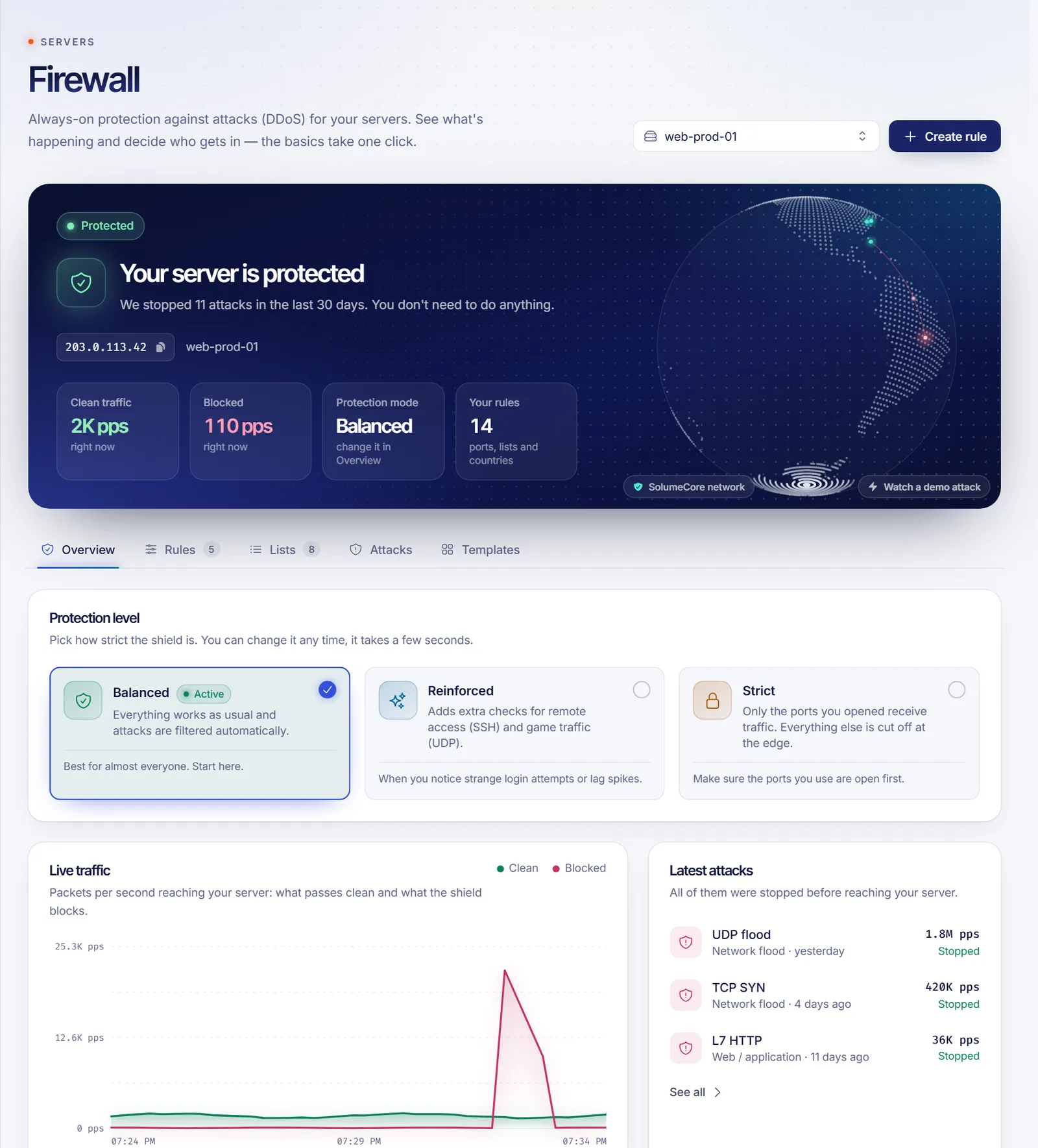
SolumeCore's protection layer, called Solume Shield, filters at layers 3, 4 and 7 at the edge of the network, and every plan goes through it. In the panel you can pick how strict it is, keep an allow list for your own addresses, review a block list and see a record of every attack it stopped. In Balanced and Reinforced modes every port still answers; Strict mode only lets through the ports you list, so use it when you know exactly what your server exposes.
Note: no provider can promise that no attack will ever cause any disruption. Mitigation reduces and absorbs attacks; treat claims of absolute immunity with suspicion.
What you can do yourself
Protection upstream is the foundation, and you can add layers on your side:
- Do not expose what players do not need. Only open the game port. Keep RCON, databases and admin panels closed or limited by address.
- Use the allow list for admins and your own services so filters never hit them.
- Hide your origin where possible. If you run a website, put it behind a CDN or proxy and avoid leaking the server IP.
- Keep software updated, especially game servers and plugins, since application bugs can turn into cheap attacks.
- Rate-limit logins and consider a whitelist on private servers.
- Have backups so a bad incident never costs you the world. See game server backups with 3-2-1.
- Harden the machine if you manage a VPS: how to secure a new VPS.
Signs you are under attack
- Everyone disconnects at once, and the server console looks normal.
- Ping spikes for all players, not one.
- The panel shows traffic far above your normal levels.
- Connections time out, but the process is healthy.
If it is only one or two players, suspect their connection first. See game server location and latency.
FAQ
Is DDoS protection included?
With SolumeCore, every plan goes through the network protection layer at no extra cost. Check the product page for the exact scope of the plan you choose.
Can DDoS protection stop all attacks?
It stops most common attacks and reduces the rest. No provider can guarantee zero impact in every case.
Will protection add lag?
Filtering at the edge adds very little delay for legitimate traffic, and well-run mitigation is built to be transparent to players.
Is a DDoS the same as being hacked?
No. A DDoS makes a service unavailable; a hack means someone gained unauthorized access. They need different defenses.
Do I need to do anything when an attack starts?
Usually not. The filtering is automatic. Check the panel afterward for details and consider blocking repeat sources.
Keep your server reachable
Learn how panels expose these controls in what a game server panel is, explore Minecraft hosting or a VPS, and read the firewall help for step-by-step answers.